Clinic Software
Finding the best ehr software for small practices in ohio starts with matching the practice’s specialty, daily workflows and support needs—not choosing a brand by reputation. Compare direct vendors, implementation partners and health-system access programs, then require each candidate to demonstrate charting, scheduling, billing handoffs and record exports.
A busy front desk or unfinished chart can make a feature-heavy sales presentation look appealing. Turn those frustrations into a written evaluation script instead. Ask staff to show where work gets delayed, which information they enter repeatedly and which records they need at the point of care. Use those tasks to judge the software, rather than assuming that either a national platform or a nearby vendor will solve the problem.
Evaluate day-to-day workflow fit, vendor responsiveness and onboarding requirements before signing a software contract. A solo office, a behavioral health practice and a group working with a regional hospital may need different templates, integrations and support arrangements. Do not assume a shared product label means a shared implementation experience.
The profiles below compare possible purchasing pathways, not independently tested winners. Vendor descriptions establish what to investigate; they do not establish suitability, current availability or a guaranteed outcome for an Ohio practice. The order is not a performance ranking. Use the questions alongside each profile to decide what deserves a live demonstration and what needs written confirmation.
1. MedOne Systems: independent clinic fit
MedOne Systems BOLT EHR lists BOLT Ambulatory for independent clinics and physician practices. That makes its ambulatory offering relevant to this shortlist, but does not establish that every product in the portfolio fits a small office. Ask which product is being proposed and whether it is currently available for the practice’s intended use.
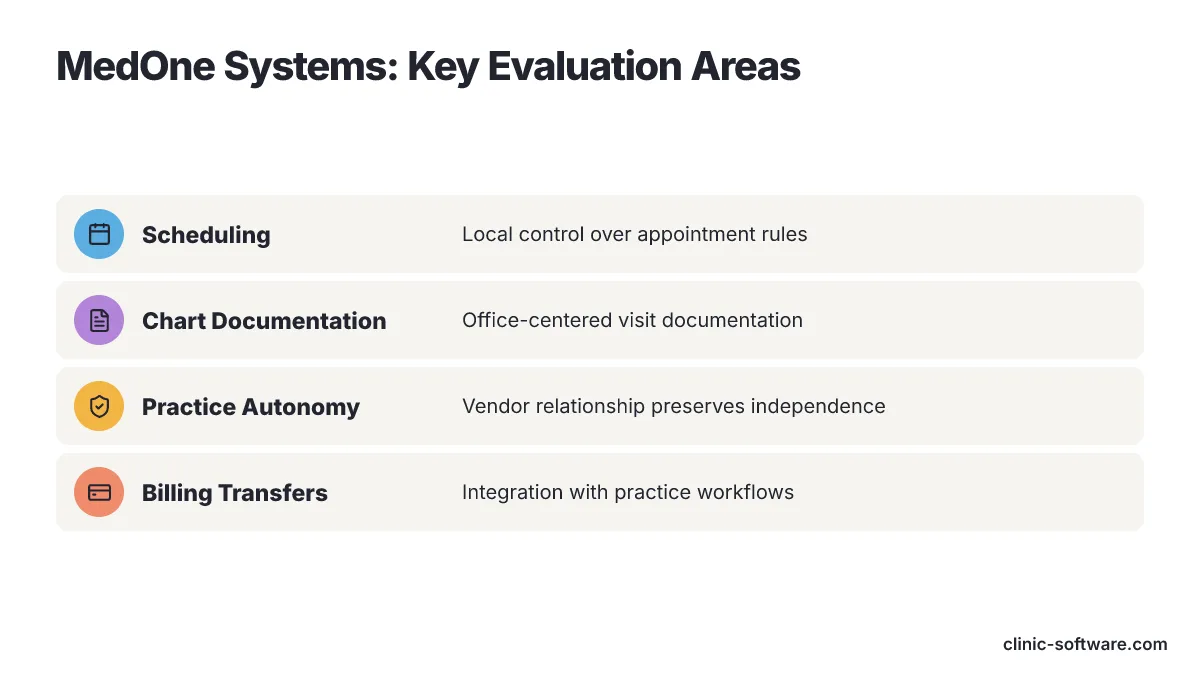
For a practice that wants local control over scheduling and documentation, make those requirements explicit in the demonstration. Request a walkthrough of chart creation, appointment intake and billing transfers using a representative visit. Ask the vendor to identify included specialty templates, deployment requirements and subscription terms in writing; do not infer them from a general product description.
For MedOne Systems, compare the proposed scope with the office’s actual requirements. Ask whether clearinghouse connections, patient portal modules, reports and historical record transfers are included or separately contracted. Also establish who owns each integration and how support requests move between suppliers. Treat direct access to a vendor as a support model to test, not an automatic service advantage.
2. MicroMD: electronic medical records support from Canfield
MicroMD Canfield EMR support provides sales and support contact routes and lists its division headquarters in Canfield, Ohio. A regional address is useful context, but does not establish onsite availability, ticket response times or the location of the team assigned to a particular practice. Ask about those arrangements directly.
Practice managers should also test whether the proposed charting screens fit the office’s normal sequence of work rather than judging the product by its location alone.
Medical offices interested in MicroMD’s Ohio presence should confirm who will manage their account and how training will be delivered. During software evaluations, clinic staff should test how a medical assistant rooms a new patient, modifies mistaken entries, pulls old chart notes, and routes encounter data to billing without repetitive screen toggling.
Evaluate support responsiveness alongside the feature list. Ask how urgent tickets are triaged, whether training covers replacement staff and what happens when a billing issue involves an outside service. Request the proposed service terms rather than assuming a nearby office means faster help. Compare those commitments with the features the practice will actually use.
3. GBS Corp: NextGen ambulatory EHR access
GBS Corp healthcare solutions lists NextGen Ambulatory EHR and describes implementation and training services. This is a partner-supported pathway to investigate when an Ohio office wants help with a software transition. Confirm which NextGen product, service team and implementation scope are included in the actual proposal.
For GBS Corp, ask the demonstration team to connect patient scheduling, encounter documentation and financial reporting within the proposed configuration. Identify which functions belong to the EHR, which depend on separate products and which require partner services. Request sample reports with demonstration data so staff can assess whether the output answers the practice’s operational questions.
Keep the GBS Corp evaluation focused on routine work: handling check-in queues, rescheduling cancellations and correcting rejected claims. Record which tasks staff can complete themselves and which require support. Ask how changes to templates or reporting are requested after launch, and whether those services fall inside the quoted agreement.
4. SLC Software Services: TotalMD support path
SLC Software TotalMD services describes hands-on training for TotalMD billing and electronic medical records software. Evaluate that service offering separately from the software’s own capabilities. Ask SLC to specify whether the proposal covers licensing, setup, migration, training and ongoing support, and which responsibilities remain with the product developer.
For an office without dedicated technical staff, the useful question is who will perform each implementation task. Request named responsibilities in the proposal rather than assuming that a local service firm handles every part of the transition.
Small clinical teams that want plain answers about setup before they sign anything should look closely at SLC Software Services. The first discovery talks need to pin down who creates custom charting templates, who trains medical assistants, who pulls legacy records into the new system, and who answers the phone when a sudden software freeze stops clinical work.
The main thing to weigh is reliance on an intermediary. Practices need written confirmation that shows where reseller accountability ends and where primary developer support begins. That matters when post-launch claim errors or clinical bugs need quick attention.
5. Priseworks: behavioral and mental healthcare focus
Priseworks behavioral health EHR describes an Ohio-centric, customizable EHR for behavioral and mental health practices. Behavioral health is therefore the clearest specialty focus in this comparison. Confirm support for the practice’s specific services instead of assuming that the broad category covers every counseling, psychiatric or substance-use workflow.
For Priseworks, build the demonstration around recurring therapy scheduling, assessment forms, progress-note sign-offs and behavioral health claims. Ask the vendor to show the proposed setup, not just describe what could be customized. Have the practice’s compliance reviewer assess access controls and documentation requirements; a specialty label is not proof of regulatory compliance.
For a hybrid medical and therapy practice, test both kinds of encounters in Priseworks. Ask how staff switch between documentation workflows, whether permissions can reflect different roles and how records are exported. Specialty focus is a useful screening criterion, but the demonstration should establish whether the configuration fits the whole practice.
6. Kettering Health Community Connect: Epic access for community providers
Kettering Health Community Connect offers Epic ambulatory practice management and electronic medical records through a shared-record program that includes independent physician offices. Practices working with Kettering facilities can investigate this pathway when shared records matter to their workflows. Participation, eligibility and the proposed access arrangement still need confirmation from the program.
Community clinics considering Kettering Health Community Connect should test the information-sharing workflows they expect to use. Prospective practices need to clarify administrative onboarding steps, user permission limits, ongoing help-desk response times, and record governance policies that apply to community medical staff who are not employed by the system. Those details matter before anyone signs on.
For Kettering Health Community Connect, make governance part of the comparison. Ask what control the practice retains over scheduling rules, software upgrades and independent reporting. Demonstrate a referral and a shared-record lookup, then document which information is available and who can access it. Do not assume that joining a network removes integration or workflow questions.
How should a small Ohio practice choose?
Small Ohio practices comparing the best emr systems should test workflow fit, support, migration and total contract costs before selecting a vendor. A directory of top ehr systems can help build a shortlist; it cannot establish how a product will work in a particular office. Ask billing staff, medical assistants and physicians to try representative tasks using demonstration records, and record what they cannot complete without help.
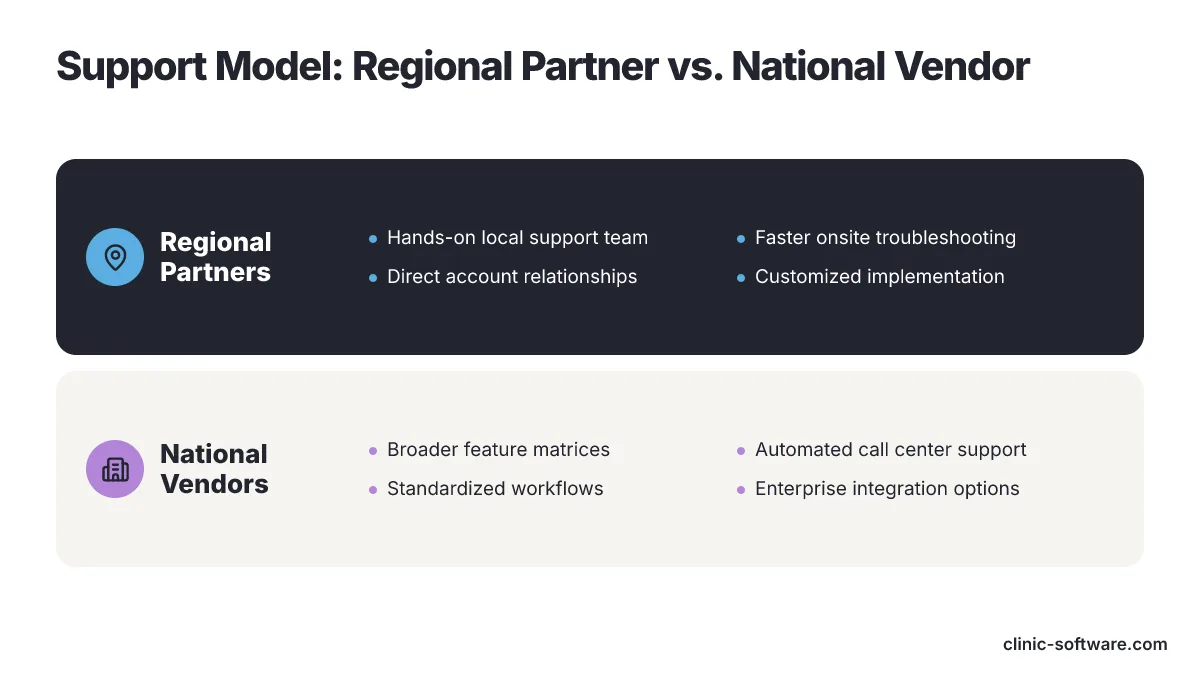
The support-model illustration is a discussion aid, not evidence that regional partners respond faster or that national vendors offer less personal support. Confirm the actual service terms for each proposal.
The reference matrix below summarizes the linked vendor descriptions to guide practical evaluation discussions. Practice administrators should use these comparisons to structure discovery calls, screen potential partners, and prepare structured live software evaluations rather than treating summary features as a substitute for thorough contract and data reviews.
| Option | What the supplied material shows | Best first test |
|---|---|---|
| MedOne Systems | BOLT EHR serves independent clinics and physician practices | Run a common visit from scheduling to signed note |
| MicroMD | Canfield division sells and supports electronic medical records software | Ask how support works after go-live |
| GBS Corp | Healthcare solutions include NextGen ambulatory EHR | Test reporting and handoffs around ambulatory care |
| SLC Software Services | Describes TotalMD billing and medical records software training | Clarify service-provider and software-developer responsibilities |
| Priseworks | Ohio-centric EHR platform for behavioral and mental healthcare | Walk through intake, recurring visits and treatment notes |
| Kettering Health Community Connect | Offers Epic's ambulatory EMR to community providers | Review access, onboarding and shared-record workflows |
Before vendor presentations, draft a consistent demonstration script based on actual office routines. Ask each candidate to show a new-patient check-in, a follow-up note, a corrected billing submission and an external record transfer in the proposed software. Use fictional or appropriately de-identified demonstration records rather than sharing identifiable patient information during an initial evaluation.
Vendor support structures require rigorous questioning before any contract signing. Practice leaders should ask ehr software companies directly who imports old patient records, who delivers hands-on staff training, who investigates clearinghouse rejections, who updates specialty encounter forms, and who answers emergency calls when clinical screens slow down during peak office hours.
Compare contract costs and switching requirements alongside the recurring license fee. Ask for written terms covering added workstations, interfaces, training, migration, data export and termination. Establish the support available during launch without assuming a standard implementation period. A quote is easier to compare when it states what is included, what triggers an extra charge and which services are optional.
Assess AI features separately from baseline charting, scheduling and billing requirements. The eClinicalWorks conference recap describes AI-generated pre-visit summaries, while the AI-native athenaOne announcement describes athenahealth’s AI offering. These are vendor descriptions, not independent comparisons of the shortlisted options.
Ask whether a demonstrated feature is available in the proposed product and contract, how staff review its output and what happens when it is unavailable. A conference demonstration or announcement should not be treated as proof that a capability is already deployed in the configuration being quoted.
Oracle’s AI-powered patient portal announcement is another example to examine when defining patient-access requirements. The linked Physitrack EMR document could not be text-verified during this review, so it is not used here to establish launch timing, eligibility or availability.
Keep those questions separate from the Ohio shortlist. Ask suppliers to demonstrate patient access, messaging and record-request workflows in the actual product under consideration. Do not infer that an unrelated announcement establishes a need to purchase an AI add-on.
Dental practices should evaluate imaging, voice documentation and claims workflows separately from the general ambulatory comparison. The VELMENI dental intelligence platform describes imaging, voice charting and claims capabilities. That description is a reason to investigate dental-specific requirements, not evidence that the platform replaces an EHR or improves diagnosis in a particular practice. Ask how outputs enter the patient record, which tasks require clinician review and whether the proposed integration fits the office’s existing dental software.
Clinic Software maintains an operational index of outpatient clinic software and medical office platforms, published by Clinsight. Clinical directors wanting an expanded market evaluation can filter by city or browse by state to assess options across medical categories including telehealth systems, electronic records, specialized medical devices, and clinic management tools.
Final vendor shortlists should contain only technology partners willing to demonstrate real clinic procedures under realistic operating speeds. A small office requires practical software that a front-desk receptionist, a nurse, and an attending physician can execute smoothly throughout a hectic workday.
What should an Ohio practice ask about costs and eligibility?
Ask for an itemized proposal and written eligibility requirements for the actual product, service package or access program being considered. A vendor listing does not confirm acceptance into a health-system program or show the full scope of a partner’s services. Keep the proposed configuration attached to the quote so that comparisons refer to the same work.
Use a purchasing checklist to separate what is demonstrated from what is merely discussed:
- Product and scope: Record the software edition, modules, locations and staff roles covered by the offer.
- Implementation: Identify who configures templates, imports records, tests interfaces and signs off on completion.
- Recurring and optional charges: Ask which support, training, portal and reporting services are included and which are separately priced.
- Partner responsibilities: Distinguish the software developer’s obligations from a reseller’s, implementation partner’s or health system’s obligations.
- Eligibility: Ask whether specialty, location, affiliation or technical requirements affect participation.
- Exit terms: Request the export format, assistance available, applicable charges and contractual process for ending service.
Leave an unanswered item marked as unresolved in the practice’s comparison worksheet; do not convert an optimistic sales answer into an assumed feature. Request clarification before treating proposals as equivalent. For a wider starting list, the site’s state software directory can support discovery, but a directory entry is not an endorsement or a substitute for due diligence.
How should a practice test migration and downtime readiness?
Test a representative record migration and agree on a downtime plan before approving a transition. Ask the supplier to explain which record types move into structured fields, which remain attachments and which require separate handling. Use demonstration records to inspect the result rather than relying only on a statement that migration is included.
Have the team examine patient matching, medication and allergy displays, historical notes, attachments and the route back to older records. Ask who investigates discrepancies, how the practice accepts or rejects an import, and what options remain if the migration does not meet the agreed scope. These are evaluation tasks, not claims that any listed product has passed a safety test.
Operational safety note: Agree on how staff will access essential information and record work during an outage or cutover, who authorizes the transition and how discrepancies are escalated. Have the practice’s responsible clinical and technical staff review that plan. Software selection alone does not establish a safe implementation.
Build an Ohio EHR shortlist around real workflows
Draft a detailed workflow script before scheduling initial vendor presentations. Small Ohio practice teams should map their most common patient encounters, billing corrections, medical record transfers, and communication bottlenecks, then instruct each software representative to run those identical scenarios sequentially during the demonstration.
Structure the initial introductory call around operational viability rather than sales presentations. Ask which team handles data extraction from your current database, how new personnel receive training, what response times govern post-launch software tickets, and how clinical records are returned if the practice changes software later.
Software selection is the beginning of an operational change, not proof of compliance. Consider having qualified legal, privacy and billing advisers review the proposed agreements and the office’s intended workflows before signing. A product demonstration can show how software behaves; it cannot establish that a particular contract or practice configuration satisfies every applicable requirement.
Frequently Asked Questions
Which EHR options does the article recommend for small practices in Ohio?
The shortlist covers MedOne Systems, MicroMD, GBS Corp, SLC Software Services, Priseworks and Kettering Health Community Connect, without naming a universal winner. Their linked profiles above cover independent-practice software, a Canfield contact base, NextGen implementation services, TotalMD training, behavioral health software and Epic access respectively. The best fit depends on demonstrated workflow fit, confirmed availability and the support terms offered to the practice.
Which EHR in the article is designed for behavioral health practices?
Priseworks describes its EHR as Ohio-centric and designed for behavioral and mental health practices; specific service-line requirements still need confirmation. The article suggests that counseling centers, outpatient therapists, and behavioral health providers assess it using demos of recurring therapy scheduling, psychological assessment forms, progress note sign-offs, and behavioral health claims. Hybrid practices should also confirm whether the system supports family medicine visits or other physical health encounters with enough charting flexibility.
Which options offer regional or hands-on support for small Ohio practices?
MicroMD lists a Canfield headquarters and support contacts; GBS Corp describes NextGen-related implementation and training; SLC Software Services describes hands-on TotalMD training. Those linked vendor pages establish services to investigate, not a guaranteed support experience. Ask each supplier who handles training, record migration and technical problems, and have response expectations and escalation routes included in the proposal.
Can a small Ohio practice use Epic through Kettering Health Community Connect?
Kettering Health Community Connect offers Epic ambulatory software through a shared-record program that includes independent physician offices; a practice must confirm its eligibility and access terms. The article identifies it as a possible fit for private groups with substantial referrals to Kettering facilities or a need for unified records and regional care coordination. Before signing on, practices should clarify onboarding, user permissions, help-desk response times, record governance, and how much control they retain over scheduling and reporting.
What should a small Ohio practice check before choosing an EHR?
The article recommends matching each system to the office’s actual clinical and administrative workflow, then testing common tasks in a live demonstration. Practices should investigate support responsiveness, onboarding requirements, historical record transfers, and total operational costs. They should also clarify whether features such as patient portals, billing connections, reporting, training, and custom templates are included or require separate arrangements.